Cyberix3D 2.2.0 is now available!
A big update focused on visuals, editing, and reusability — with a brand-new shader editor, a completely rebuilt undo/redo, and a lot more.
Shader Editor
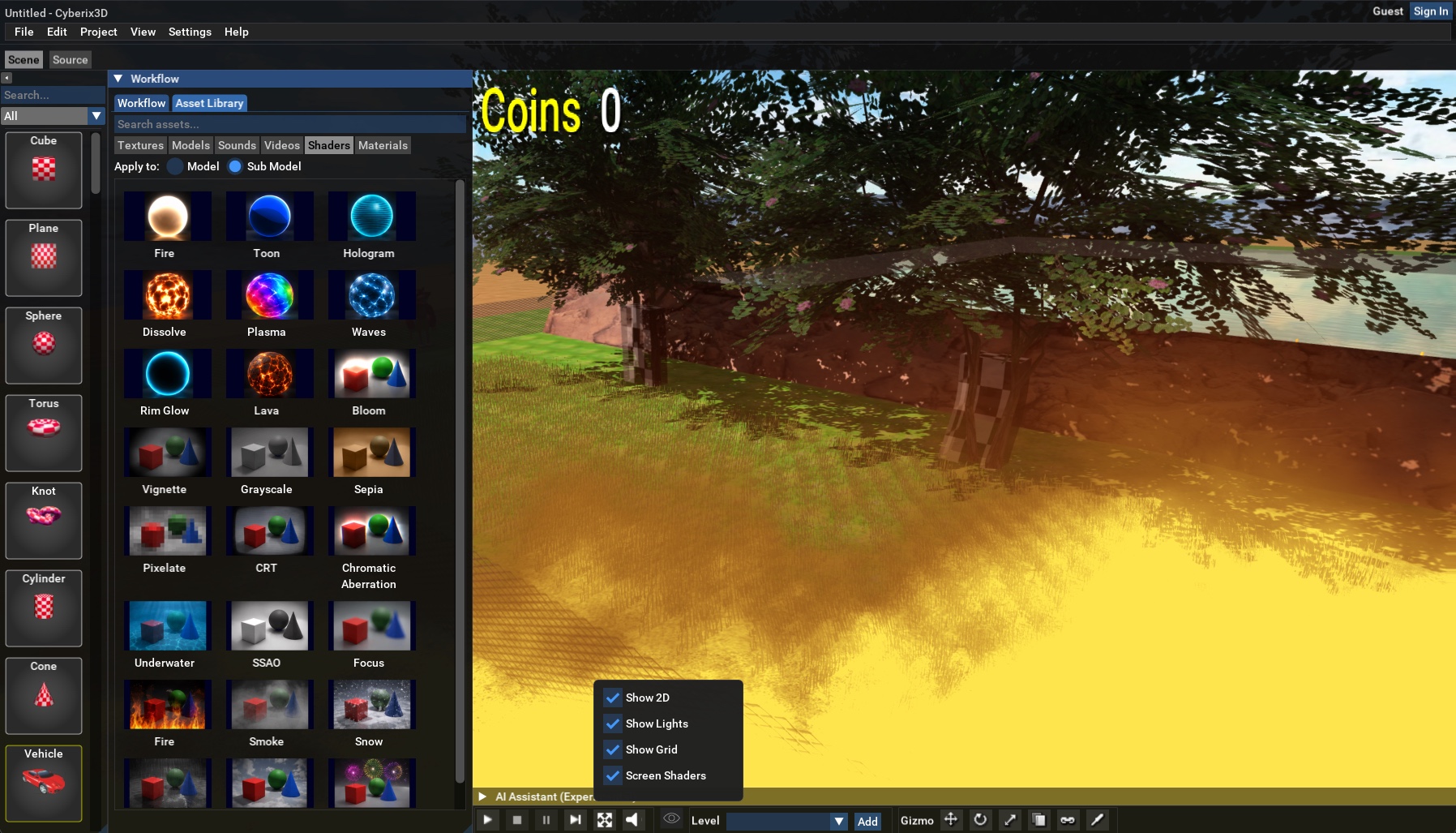
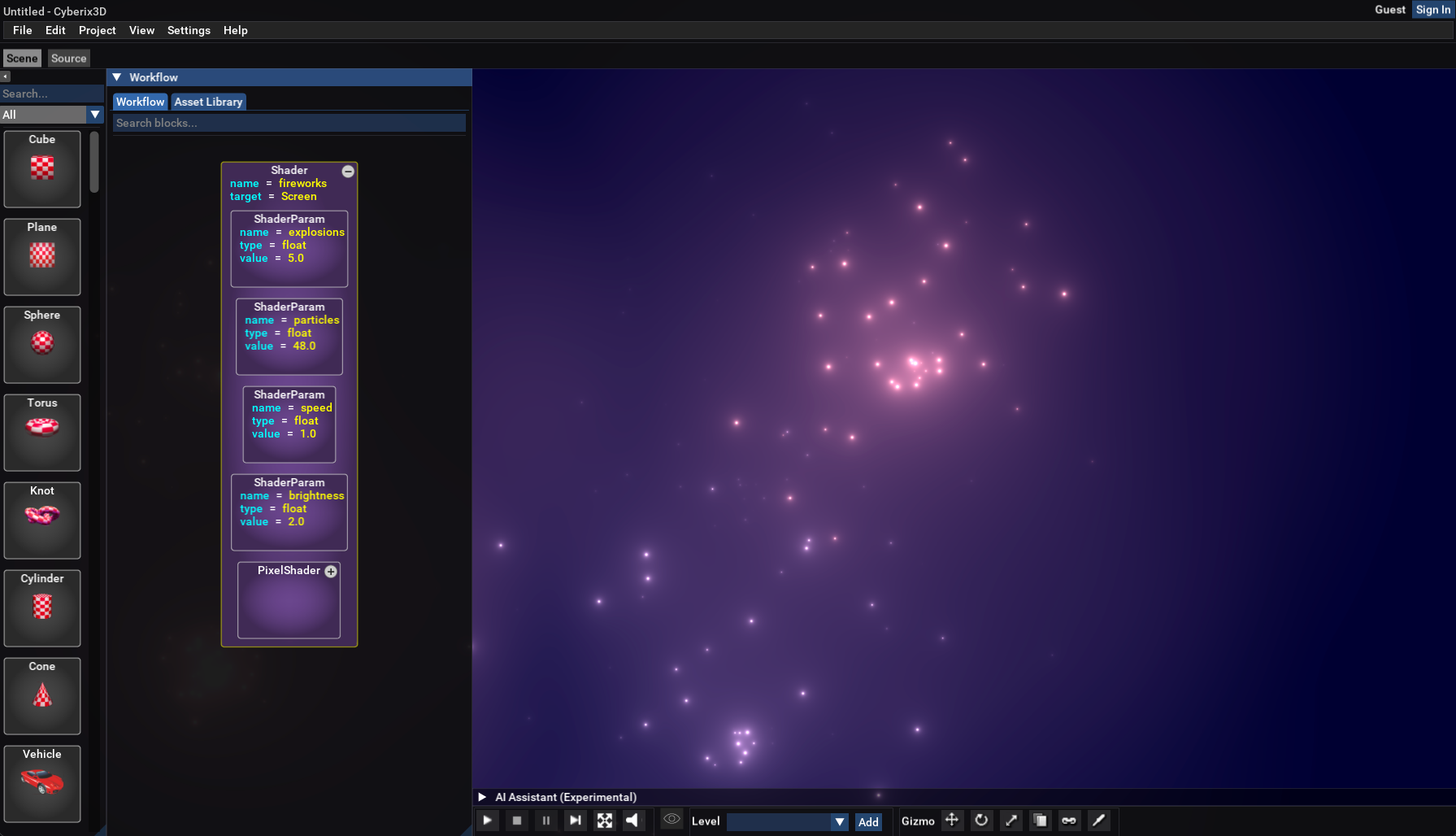
Add shaders to your object materials and to the whole screen — and stack several shader layers on both at once. Every shader is built from programming blocks, so you can start from a ready-made preset and tweak it, or build any shader you can imagine from scratch.
Using them couldn't be simpler — just drag a shader onto the screen for a full-screen effect, or onto any object to apply it to that object.
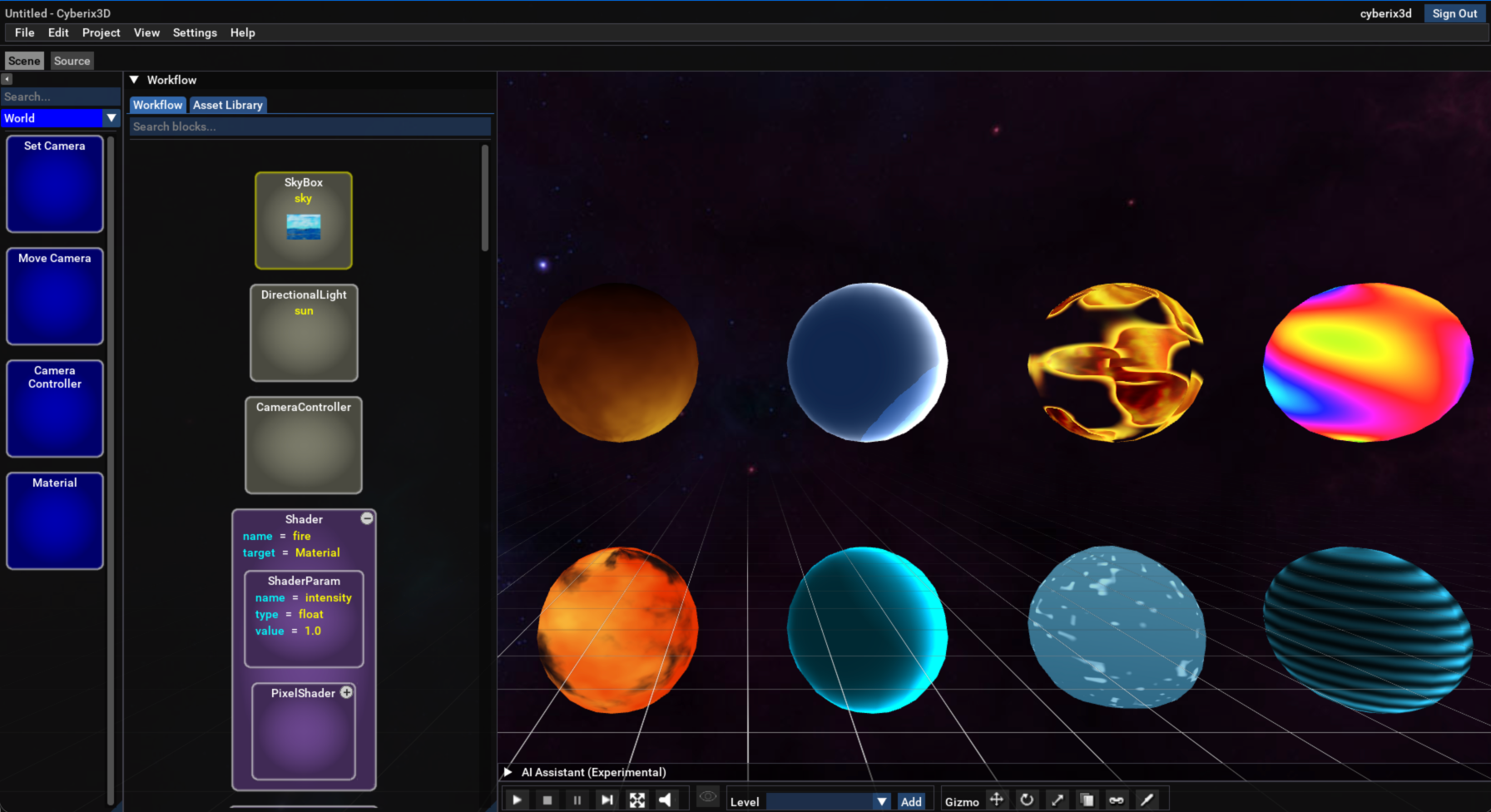
Material shaders: Fire, Lava, Plasma, Waves, Toon, Hologram, Dissolve, Rim Glow.
Screen shaders: Bloom, Vignette, Grayscale, Sepia, Pixelate, CRT, Chromatic Aberration, Underwater, Focus (depth-of-field), SSAO, Fire, Smoke, Snow, Rain, Clouds, Fireworks.
Examples
Here are a few examples to see the shaders in action:
* Foxy with a Fire shader:
Play
* FPS Game with the SSAO shader:
Play
* Material Shaders Showcase — all the material shaders in one scene:
Play
* Fireworks show with the Fireworks screen shader:
Play
Undo / Redo — Rebuilt
The entire undo/redo system has been rebuilt from the ground up. It's now far more reliable and lets you step backward and forward through every change you make — Ctrl+Z to undo, redo to bring it back (Cmd+Z on Mac).
Never Lose Your Work
Cyberix3D now asks before you exit with unsaved changes — in every case, whether you use File > Exit, the window's close (X) button, or Cmd/Ctrl+Q.
Plugins
The Plugin block from the classic engine is back: turn any project into a reusable building block and drop it straight into another game.
Materials & Rendering
New material controls: anisotropic texture filtering, cutout transparency, two-sided rendering, depth-write control, and per-material shaders for finer visual control.
Water
The MoveWater command from the classic engine is now implemented, so you can animate water movement just like in the original.
Terrain & Skybox
Terrain and skybox textures now have easy image pickers.
Pause & Restart
The pause and restart controls from the classic engine are now implemented — pause your running game and restart it reliably, right from the editor.
Performance & Fixes
Smoother spring/follow cameras, improved lighting and shadows, and local asset caching (including native video) for faster loads — plus many bug fixes across web, physics, and character handling.
Known Issue
If your Documents folder is synced to OneDrive, loading local assets can be slow — Windows keeps the Cyberix3D folder in the cloud instead of on your PC. For now, right-click the Cyberix3D folder in your Documents and choose "Always keep on this device" so OneDrive keeps a local copy. We'll address this properly in the next version.
Update Now
Cyberix3D updates itself automatically — just launch it and accept the update prompt. You can also grab the latest installer directly:
www.gamemaker3d.com/updates/win/Cyberix3D2Setup-2.2.0.exe
Prefer the browser? Play and create online here:
www.gamemaker3d.com/new-cyberix3d
Thanks to everyone in the community for your feedback and bug reports — keep them coming!
-- Cyberix3D Team
 Google Sign In